
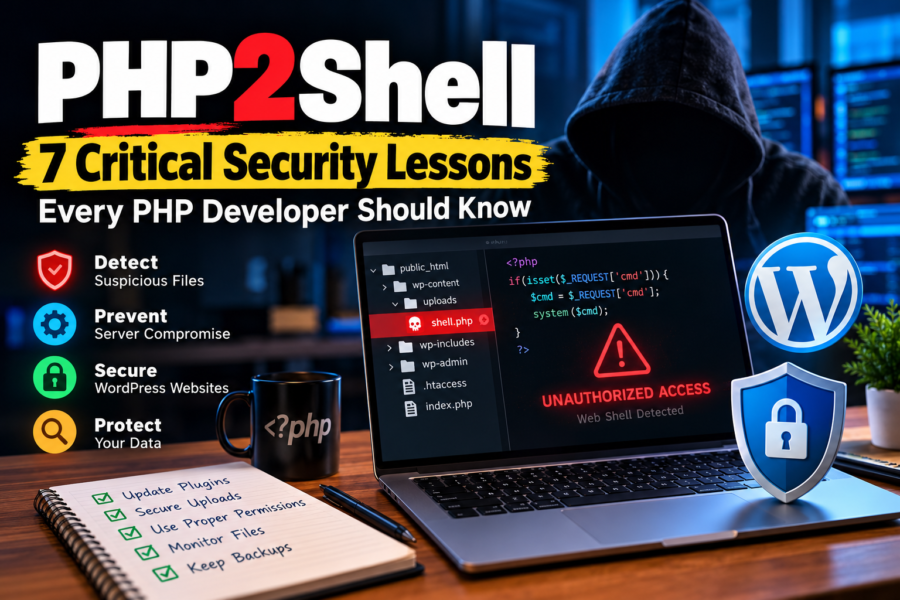


A single vulnerable PHP file can turn a secure-looking website into an entry point for attackers.
For WordPress developers, website owners, and digital agencies, understanding PHP web shells is essential. A website can look completely normal to visitors while malicious code operates behind the scenes.
Let’s explore what PHP2Shell means, why PHP web shells are dangerous, and how developers can protect their websites.
What Is PHP2Shell?
PHP2Shell is a term that may refer to techniques or tools used to obtain shell-like access through PHP code on a web server. The exact meaning depends on the tool or context.
A PHP web shell is a server-side PHP script that allows someone to interact with a compromised web environment through HTTP requests.
Unlike a traditional command-line session, a web shell operates through the web application and inherits the permissions available to the PHP process.
Attackers may use web shells to:
- Access or modify website files.
- Read sensitive configuration data.
- Execute system commands when the environment permits.
- Install additional malicious components.
- Maintain unauthorized access.
- Redirect visitors or inject spam.
A web shell does not automatically provide root access. Its capabilities depend on server configuration, application permissions, and available PHP functions.
1. A Website Can Be Compromised Without Looking Broken
One dangerous misconception is that a hacked website will always display visible errors.
In reality, malicious PHP scripts can remain hidden while the website continues operating normally.
A compromised WordPress website might still have:
- A functioning homepage.
- Normal WooCommerce checkout.
- Working contact forms.
- Healthy-looking frontend performance.
Meanwhile, unauthorized scripts may be accessing files or communicating with external systems.
Developer takeaway: A working website is not necessarily a secure website.
2. Outdated Plugins Can Create an Entry Point
WordPress itself is not inherently insecure, but vulnerable plugins, themes, and custom code can expose websites to serious risks.
Common weaknesses include:
- Unrestricted file uploads.
- Missing authorization checks.
- Vulnerable third-party components.
- Insecure custom AJAX handlers.
- Unsafe file inclusion.
- Remote code execution vulnerabilities.
Attackers may exploit these weaknesses to place malicious PHP files on the server.
Developer takeaway: Audit custom code and extensions regularly. Remove unused components instead of simply deactivating them.
3. File Upload Security Is More Important Than It Looks
File upload features are common in WordPress websites.
They appear in contact forms, membership platforms, WooCommerce personalization tools, and customer dashboards.
However, poorly secured uploads can become a major security risk.
A secure implementation should:
- Validate permitted file types and actual file contents.
- Restrict file sizes.
- Generate safe server-side filenames.
- Require appropriate authentication and authorization.
- Prevent uploaded files from executing as PHP.
- Store sensitive uploads outside publicly accessible directories where practical.
Developer takeaway: Never rely only on the filename extension or browser-side validation.
4. File Permissions Can Limit the Damage
If an attacker gains access through a vulnerable PHP script, server permissions determine what that script can do.
Excessive permissions can make a compromise significantly worse.
For example, a web server process with unnecessary write access may allow attackers to alter application files.
A stronger configuration follows the principle of least privilege.
Give each application process only the access it genuinely needs.
Developer takeaway: Avoid unrestricted permissions such as 777. Use appropriate file ownership, directory permissions, and isolated application environments.
5. Malicious PHP Code Is Not Always Easy to Recognize
Attackers often attempt to hide malicious scripts inside legitimate-looking files.
Suspicious indicators can include:
- Unexpected PHP files in upload directories.
- Unexplained changes to core files.
- Obfuscated code with encoded strings.
- Unknown administrative accounts.
- Unusual outbound network requests.
- Unexpected scheduled tasks.
- Modified configuration files.
Functions such as eval(), base64_decode(), or shell_exec() may warrant investigation in unfamiliar code, but their presence alone does not prove malicious activity.
Developer takeaway: Use file integrity monitoring, malware scanning, and code review together. Avoid treating a single suspicious function as conclusive evidence.
6. Removing a Web Shell Does Not Guarantee Recovery
Deleting a suspicious PHP file is only one part of incident response.
If attackers have already gained access, they may have created additional accounts, modified application files, or stolen credentials.
A proper recovery process includes:
- Isolate the affected environment and preserve relevant evidence.
- Identify the initial vulnerability.
- Review logs and modified files.
- Remove unauthorized code and persistence mechanisms.
- Rotate compromised passwords, API keys, and security secrets.
- Restore clean files or rebuild from a verified source.
- Patch the vulnerability and verify the environment before restoring normal access.
Developer takeaway: Fix the root cause, not just the visible symptom.
7. WordPress Security Requires Continuous Maintenance
Security is not a one-time plugin installation.
A sustainable WordPress security strategy combines preventive controls with monitoring and incident readiness.
For production websites, prioritize:
- Timely WordPress core, theme, and plugin updates.
- Multi-factor authentication for privileged users.
- Automated, tested, off-server backups.
- Web application firewall protection.
- Secure hosting and PHP configuration.
- File integrity monitoring.
- Restricted administrator access.
- Regular security audits.
A WAF or security plugin can reduce exposure, but neither guarantees protection against every vulnerability.
Developer takeaway: Build security into the development lifecycle instead of treating it as an emergency service.
💡 Did You Know?
A PHP web shell usually runs with the privileges of the web server’s PHP process, not automatically with full administrator privileges.
That is why proper server isolation and least-privilege permissions can significantly reduce the impact of an application compromise.
Frequently Asked Questions
What is PHP2Shell in cybersecurity?
PHP2Shell can refer to PHP-based techniques or tools that provide shell-like interaction with a server. The term is not a universally standardized vulnerability name. In security discussions, it is often associated with PHP web shells, which can enable unauthorized file operations or command execution when an attacker successfully exploits a vulnerable application.
Can PHP web shells affect WordPress websites?
Yes. WordPress websites can be affected when attackers exploit vulnerable plugins, themes, insecure uploads, or custom PHP code. A web shell may allow unauthorized access to application files and sensitive information. Keeping components updated, reviewing custom code, and restricting server permissions can reduce the risk.
How can I detect a PHP web shell?
Start by reviewing unexpected PHP files, recent file modifications, administrator accounts, server logs, and unusual outbound connections. Compare application files against trusted versions and investigate suspicious code. Malware scanners and integrity monitoring tools can help, but manual investigation may still be necessary because sophisticated threats can evade automated detection.
Is every PHP script that executes system commands malicious?
No. Some legitimate applications and administrative tools use system commands for specific tasks. The security risk depends on authorization, input handling, execution context, and server permissions. However, command execution features deserve careful review because improper access controls or unsafe input handling can expose the server to serious vulnerabilities.
What should I do if my WordPress website contains a web shell?
Restrict access to the affected environment, preserve relevant logs, and investigate the compromise before making extensive changes. Identify and patch the entry point, remove unauthorized access, rotate credentials, and restore trusted application files. If customer information may have been exposed, assess any applicable breach notification obligations.
Final Thoughts
PHP2Shell and PHP web shells highlight an important reality of web development: application functionality and application security are two different responsibilities.
A website can be visually impressive, technically sophisticated, and still vulnerable because of a single overlooked weakness.
For developers and agencies, the goal should not be to react to every attack. It should be to reduce attack surfaces, detect suspicious activity early, and maintain reliable recovery procedures.
Secure code is not an optional feature. It is part of professional web development.
Which WordPress security practice do you consider most important?
Share your experience in the comments.